

Picture this: your sales team spends two hours every Monday manually pulling data from three different platforms to build a weekly performance report. Meanwhile, leads are going cold, emails are piling up, and the actual selling — the thing that grows revenue — gets pushed to Tuesday. Sound familiar? This is exactly the kind of friction that AI integrations are designed to eliminate. By connecting artificial intelligence directly into the tools businesses already use, companies are doing more with less effort, fewer errors, and faster turnaround. And the shift is happening across industries, not just in tech.
What Are AI Integrations?
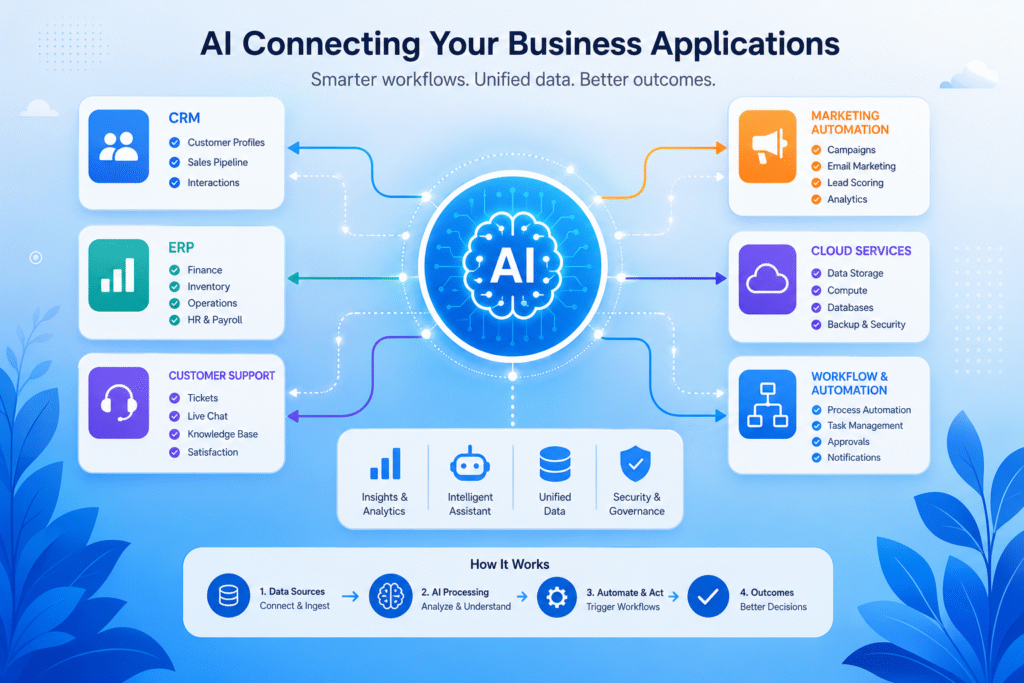
At their core, AI integrations are connections between AI-powered capabilities and existing software systems. These integrations are especially valuable for businesses using SaaS applications to manage their daily operations. Think of them as a bridge — on one side, you have tools your business already relies on (your CRM, helpdesk, marketing platform, ERP system); on the other side, you have AI that can analyze, predict, automate, and respond. When those two sides are connected, something useful happens. Your customer support platform starts flagging frustrated customers before they churn. Your e-commerce store recommends the exact product someone was about to search for. Your HR software ranks job applicants without requiring a recruiter to read 400 resumes. AI integrations don’t replace the software you use — they make it significantly smarter.
Why Businesses Are Investing in AI Integrations
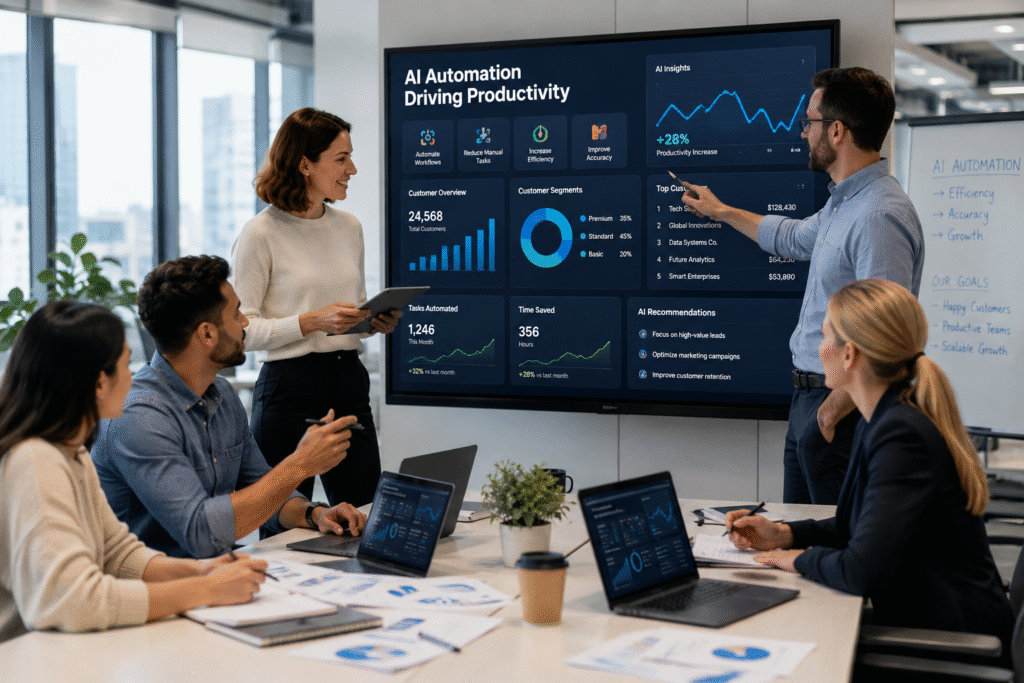
The adoption curve has steepened quickly, and for good reason. Businesses that have embraced AI integrations are reporting real, measurable gains in four main areas:
Productivity That Compounds
When repetitive tasks get automated, employees reclaim hours they can put toward higher value work. A marketing team that previously spent 30% of its time scheduling social posts, segmenting lists, and generating performance summaries can redirect that energy toward strategy and creative execution.
Customer Experiences That Actually Feel Personal
Generic experiences frustrate modern customers. AI integrations allow businesses to tailor interactions at scale — the right message, at the right time, through the right channel — without requiring a dedicated specialist for every touchpoint.
Decisions Backed by Data, Not Gut Feel
AI doesn’t just process data faster than humans — it identifies patterns that humans would miss entirely. When integrated into business intelligence or sales platforms, AI can surface insights that genuinely change how decisions get made at the executive level.
Automation That Scales Gracefully
As a business grows, operational complexity tends to grow faster. AI integrations help absorb that complexity. Onboarding a thousand new customers doesn’t require a proportional increase in support staff when AI handles the routine questions.
Real-World Examples of AI Integrations
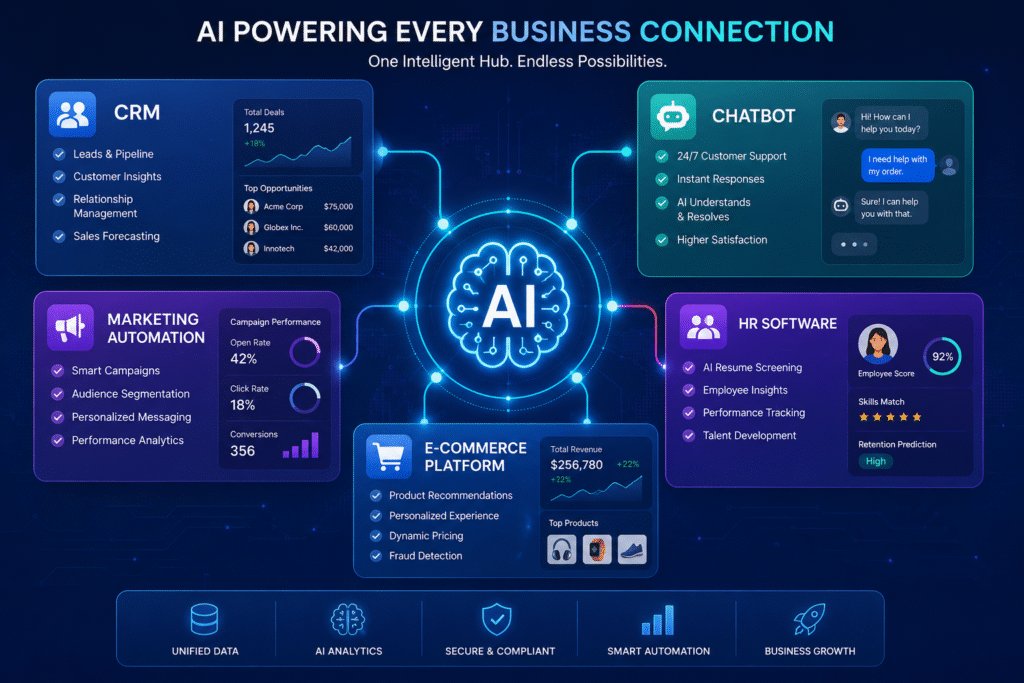
The use cases aren’t theoretical — they’re already running in businesses you interact with every day.
CRM Platforms
Salesforce’s Einstein and HubSpot’s AI tools analyze historical sales data to score leads, forecast revenue, and suggest the next best action for each deal in the pipeline. Sales reps spend less time guessing and more time closing.
Customer Support Chatbots
Companies like Intercom and Zendesk have embedded AI that resolves common support tickets without human involvement. One well-trained AI assistant can handle thousands of simultaneous conversations, escalating only the ones that genuinely need a human touch.
Marketing Automation
Platforms like Klaviyo and Marketo now use AI to determine optimal send times, predict churn risk, and personalize email content dynamically. The result: higher open rates, better conversions, and campaigns that improve themselves over time. AI-powered tools like Greenhouse and Workday’s AI features screen resumes, schedule interviews, and even analyze job descriptions for biased language. What used to take a recruiter two weeks can now happen in two days.
Common Challenges and How to Overcome Them
AI integrations aren’t plug-and-play magic. There are real obstacles, and ignoring them leads to expensive failures.
Data Privacy and Compliance
When AI touches customer data, GDPR, CCPA, and industry-specific regulations come into play. The fix isn’t to avoid AI — it’s to involve legal and compliance teams early, choose vendors with strong data governance, and establish clear policies before launch.
Integration Complexity
Legacy systems can be notoriously difficult to connect with modern AI tools. Businesses that try to rush this step often end up with broken workflows. Investing in proper API management or middleware platforms (like MuleSoft or Zapier for simpler use cases) dramatically reduces the headache.
Employee Adoption
Even great AI tools fail when employees don’t trust or understand them. Change management matters. Training sessions, clear communication about what the AI does and doesn’t do, and early involvement of frontline teams in the rollout process can turn skeptics into advocates.
Cost Concerns
Enterprise AI platforms can carry a heavy price tag, which makes smaller businesses hesitant. The smarter approach is to start narrow — pick one high-impact, clearly defined use case, prove ROI, and expand from there. Many AI integration tools also offer tiered pricing that scales with usage.
Best Practices for Successful AI Integrations

Getting AI integration right is less about technology and more about discipline.
Start With Clear Business Goals
The worst AI projects begin with “let’s use AI” rather than “here’s the problem we need to solve.” Tie every integration decision to a specific, measurable outcome — reduced ticket volume, faster lead response times, lower customer acquisition cost.
Choose Solutions That Scale
A tool that works for 500 customers needs to hold up at 50,000. Evaluate AI platforms not just for what they do today, but for their roadmap, API flexibility, and track record at scale. Vendor stability matters.
Monitor, Measure, and Adjust
AI models drift. Customer behavior changes. Business priorities shift. Build in regular review cycles to audit performance, retrain models if needed, and kill integrations that stop delivering value. AI isn’t a one-time implementation — it’s an ongoing practice.
Frequently Asked Questions About AI Integrations
What is the difference between AI integration and AI implementation?
AI implementation refers to deploying an AI system from scratch — building or training a model to perform a specific task. AI integration, on the other hand, is about connecting existing AI capabilities into software your business already uses. Most businesses don’t need to build AI; they need to integrate it. Implementation is the engine; integration is plugging that engine into your car.
How long does it take to integrate AI into a business system?
It depends heavily on the complexity of your existing tech stack and the scope of the use case. A straightforward chatbot integration via a platform like Intercom can be live in days. Connecting AI to a legacy ERP system or custom-built CRM might take several months of planning, API development, and testing. Starting with a single, well-defined use case keeps timelines manageable and results measurable.
Do small businesses benefit from AI integrations, or is it only for large enterprises?
Absolutely, small businesses benefit — often more visibly, because the efficiency gains are proportionally larger. A five-person team that automates customer follow-ups or invoice processing frees up a significant chunk of their workweek. Many AI integration tools (Zapier AI, HubSpot’s free tier, Tidio for chat) are specifically priced and designed for smaller operations.
Will AI integrations replace my employees?
Not in the way most people fear. AI integrations typically handle the repetitive, low judgment tasks that drain employee time — data entry, ticket routing, report generation, scheduling. What they free up is human capacity for work that actually requires creativity, relationship-building, and judgment. Most companies that adopt AI well find they’re redeploying people, not replacing them.
How do I know if an AI integration is actually working?
Define success before you launch, not after. Identify two or three specific KPIs tied to the problem you’re solving — average ticket resolution time, lead response speed, email conversion rate — and track them consistently before and after integration. If the needle isn’t moving within a reasonable window (typically 60–90 days), revisit the setup, the training data, or the use case itself.