

Running a growing business often means dealing with a surprising amount of information.
Sales have their own data. Finance has another set of numbers. The warehouse keeps track of inventory, while HR manages employee information separately. Marketing has its own reports, and management needs to somehow bring all of this together to understand what is actually happening inside the company.
This is where ERP software can make a significant difference.
ERP, or Enterprise Resource Planning, brings different business functions together in one connected system. Instead of relying on separate tools and spreadsheets, businesses can manage operations, finances, inventory, employees, customers, and other important processes through a centralized platform.
But ERP software isn’t only for huge corporations anymore. Small and mid-sized businesses are increasingly adopting ERP systems as they grow and their existing tools become harder to manage.
So, what exactly is ERP software, how does it work, and is it worth investing in?
Let’s take a closer look.
What Is ERP Software?
ERP software is a business management system that connects different departments and processes through a centralized platform.
Depending on the system, an ERP solution can include modules for:
Accounting and finance
Human resources
Inventory management
Procurement
Sales
Customer relationship management
Supply chain management
Manufacturing
Project management
Business reporting and analytics
The main idea is simple: different parts of the business can work with the same information instead of maintaining disconnected systems.
For example, when a customer places an order, the information can flow through the relevant parts of the business. The sales team can see the order, inventory can be updated, finance can record the transaction, and management can access the relevant reports.
That connection is one of the biggest reasons businesses invest in ERP systems.
How Does an ERP System Work?
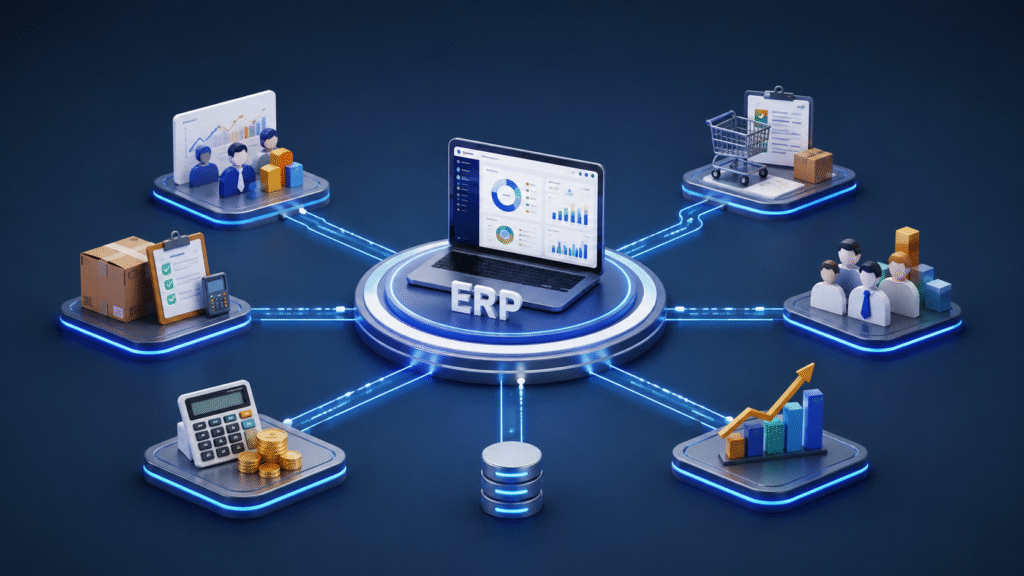
An ERP system usually works through a shared database and a collection of connected modules.
Think of the ERP platform as a central hub.
Each department has access to the information and features it needs, while authorized users can access information from other areas when necessary.
For instance, imagine a company receives a large product order.
The sales team enters the order into the ERP system. The inventory module can check whether the products are available. If stock is low, the procurement team can be notified. The finance department can access the billing information, while management can later review the transaction through business reports.
Without an ERP system, these steps might involve several different applications, emails, spreadsheets, and manual updates.
With ERP software, much of this information can move through a connected workflow.
What Are the Main Modules of ERP Software?
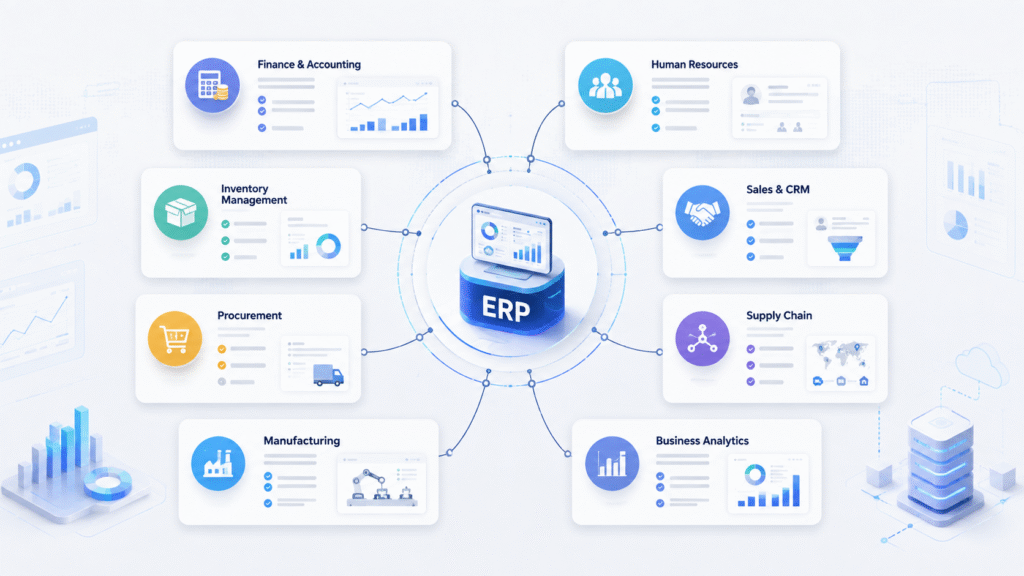
Not every company needs every ERP module. The right combination depends on the size and type of business.
1. Finance and Accounting
Financial management is one of the core functions of most ERP systems.
Businesses can use ERP software to manage:
- Invoices
- Expenses
- Payments
- Accounts payable and receivable
- Budgets
- Financial reports
- Cash flow information
Having financial information connected to other business activities can also make reporting easier.
2.Inventory Management
For businesses that sell physical products, inventory management can become complicated very quickly.
ERP software can help track stock levels, product movement, purchase orders, warehouses, and inventory costs.
This can reduce the need for manual stock tracking and help businesses identify inventory problems earlier.
3. Human Resources
An ERP system can also centralize employee-related information.
Depending on the platform, HR teams may be able to manage employee records, attendance, payroll, recruitment, leave, and performance information.
4. Sales and CRM
ERP systems can connect sales information with other parts of the business.
Sales teams can manage customer information, quotations, orders, invoices, and sales performance while having access to relevant information from finance or inventory.
5. Procurement
Procurement teams can use ERP software to manage suppliers, purchase orders, approvals, and purchasing workflows.
This can make it easier to understand what the company is buying, from whom, and at what cost.
6. Reporting and Analytics
One of the biggest advantages of an ERP system is having business data in one place.
Management can use dashboards and reports to monitor things such as revenue, expenses, inventory, sales performance, and operational efficiency.
Instead of waiting for several departments to prepare separate reports, decision-makers can work with centralized information.
Benefits of ERP Software for Businesses

The biggest reason companies implement ERP systems is not simply to replace spreadsheets.
The real value comes from connecting business processes.
Better Access to Information
When information is scattered across different systems, finding the right data can take time.
ERP software creates a centralized environment where authorized employees can access relevant business information more easily.
Less Manual Work
Manual data entry is not only time-consuming; it can also introduce errors.
ERP automation can handle repetitive processes such as invoice generation, approvals, inventory updates, and reporting.
Improved Decision-Making
Business decisions are easier to make when management has access to accurate and timely information.
An ERP dashboard can provide a clearer picture of what’s happening across different areas of the company.
Improved Collaboration
When departments work with connected information, communication can become easier.
Sales, finance, operations, HR, and management can work from the same underlying data rather than maintaining completely separate records.
Greater Scalability
A business may be able to manage operations with spreadsheets and several small applications when it has ten employees.
That becomes much harder when the company grows to 100, 500, or several thousand employees.
ERP software can provide a more structured foundation for growth.
Cloud ERP vs On-Premise ERP
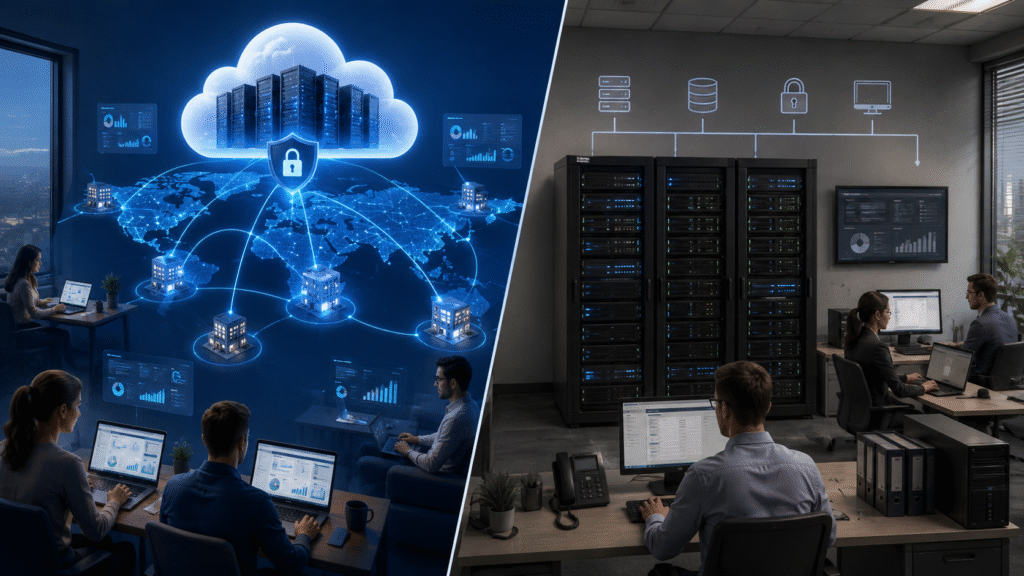
Businesses traditionally installed ERP software on their own servers. Today, cloud ERP has become a popular alternative.
Cloud ERP
With cloud ERP, the software is hosted by a service provider and accessed through the internet.
Common advantages include:
- Easier remote access
- Less internal infrastructure
- Automatic updates in many cases
- Faster deployment
- Easier scalability
Cloud ERP can be particularly attractive to companies with distributed teams or multiple locations.
On-Premise ERP
With an on-premise ERP system, the organization hosts the software and infrastructure itself.
This can provide greater control over the environment, but it also means the company is responsible for hardware, maintenance, upgrades, security, and other infrastructure requirements.
The right choice depends on the organization’s requirements, budget, security policies, and technical capabilities.
Final Thoughts
ERP software can help businesses bring their operations, data, and teams together in one connected system. Whether you choose a cloud-based or on-premise solution depends on your business needs, budget, security requirements, and future growth plans.
The right ERP system isn’t simply the one with the most features. It is the one that fits your business processes and helps your team work more efficiently. Before making a decision, take the time to understand your requirements and choose a solution that can grow with your business.